Showing posts with label Blogger. Show all posts

Thursday, August 2, 2018

How To Get FREE Web Hosting And Domain Name LifeTime


Now i'll tell you how to get free unlimited web hosting and free domain name. simply follow these steps finally you get hosting and domain.

one of the best web hosting site is GoogieHost , this site provide free web hosting and domain name with  1000MB Storage,unlimited Band width,2 main addresses, auto installer, etc.,

Registration Process:

1. Now Open GoogieHosting Website  , It's open hosting website, then press "Order Now" Button.


2. Now Select Domain type Best way to select "GoogieHost Subdomain" . Enter your domain name.

3. Now Enter " why you need this account" Just Type "hi .. i am creating personal website for project."


4. Then Press Check out button after Review.

5. Then Enter Your personal details , finally press " Complete Order".


6. Now You get account activation link , open your mail and check it, then press link . now your account activated , But your domain service is under review, it's take below 5 days.


7.  After Domain service activate, open " Your Active products/Service".


8. Now Check your domain working or not, then open file manager Upload your website script ..

9. Finally you Got Free Web hosting and Domain Name.
10. If you have any Doubt watch below video..


Saturday, November 5, 2016

How To Use Google AdSense Matched Content Ads


Matched Content Is A Free Widget Service That Provide Relevant Content From Your Website. Matched Content Can Help To Increase Your Website Views And Visitors Spend More Time On Your Website.


How to Create:

1. Sign in AdSense Account.
2. Click On New Ad unit
3. Select Native, then Click on Matched Content.

4. Now Give your Matched Content Unit Name.
5. Select Style, color, size.
6.Finally Save and get Code.
7.Done.


Watch Demo


Thursday, October 27, 2016

How To Activate WhatsApp Video Calling Feature 100% Working


WhatsApp Always Try To Impress It's Millions Of Users. Now WhatsApp Come Up With Awesome Feature . This Is Video Calling Feature . Till Now WhatsApp Not Released Video Calling Latest Application.  Read This Article And Download Supported  Video Calling APK File .


WhatsApp Planing To Launch Video Call New Update  APK , This Feature Release Dates Also Announce Very Soon. Android Users Must Be Valid According Video Call Policy.


Now Finally WhatsApp Video Call Goes On Live With  New Version APK 2.16.318. Play Store Avilable Only 2016.310. If You Want New Latest Video Call APK File Download Here.


How To Activate :
  1. Simply Backup Your WahtsApp Old Data. Once Complete All Backup Simply Delete Old WhatsApp Account And All WhatsApp Details.
  2. Now Download Latest WhatsApp 2.16.318 And Install Then Login Again.
  3. Now, Click On Call Button You Will See 2 Options "Video Call" And "Voice Call". 
  4. Select Any One .
  5. Done
Note : Both Mobile Have Latest WhatsApp 2.16.318 Version Mandatory . Other Person Using Old Version WhatsApp Showing This Error .


Watch Demo Video


How To Activate WhatsApp Video Calling Feature 100% Working


WhatsApp Always Try To Impress It's Millions Of Users. Now WhatsApp Come Up With Awesome Feature . This Is Video Calling Feature . Till Now WhatsApp Not Released Video Calling Latest Application.  Read This Article And Download Supported  Video Calling APK File .


WhatsApp Planing To Launch Video Call New Update  APK , This Feature Release Dates Also Announce Very Soon. Android Users Must Be Valid According Video Call Policy.


Now Finally WhatsApp Video Call Goes On Live With  New Version APK 2.16.318. Play Store Avilable Only 2016.310. If You Want New Latest Video Call APK File Download Here.


How To Activate :
  1. Simply Backup Your WahtsApp Old Data. Once Complete All Backup Simply Delete Old WhatsApp Account And All WhatsApp Details.
  2. Now Download Latest WhatsApp 2.16.318 And Install Then Login Again.
  3. Now, Click On Call Button You Will See 2 Options "Video Call" And "Voice Call". 
  4. Select Any One .
  5. Done
Note : Both Mobile Have Latest WhatsApp 2.16.318 Version Mandatory . Other Person Using Old Version WhatsApp Showing This Error .


Watch Demo Video


Friday, October 14, 2016

How To Register Domain And Hosting With Low Price


         This Is The Best Way To Register Domain And Hosting Low Price. We Need to Install Only One Plugin . i.e., Honey Plugin . It's Working Only On Chrome Browser. Simply Install It. This Extension Scan All The Related Code On Internet.


Watch Demo Here


Monday, August 29, 2016

How to Create FeedBurner Id For Email Subscription


Enter Your Blog Address Here


Identify Your Feed Source


Enter Your Feed Title And Address Here


Finally Created your FeedBurner Id 


New Configure Your Product Type.


Finally Created Your Feed Burner Id.


Now Activate Email Subscription

Click On Publicize In Main Menu. Click On Email Subscription In Left Side And Activate it if  Not  Already Active .


After Activation Copy HTML Code 


Finally Open Your Blogger Layout -> Add a Gadget -> HTML/JavaScript-> Save 


Noe You Can Save All The Changes Just Refresh Your Blog.

Done.


Thursday, August 4, 2016

How To Create A Pop Up Window For Your Website Or Blog


This Is The Best Way To Add Pop Up Window For All Blog's and Websites . This Pop Up Window Helps You to Increase Page Views For Your Blog's Or Websites. You Can Insert Some Important Links from Your Blog , Website And Other External Site Links Also Insert.

How To Add Pop Up Window.....

Login To Blogger Account.
Go To Dashboard Under Select Layout.

In Layout Section you Can Select Any " add a gadget " .


Now Select HTML/JavaScript .


Now Download  Copy And Past The Following code.


Download Here:  

Note: Now Change The www.easytips4ru.com , You Can Change Width And Hight Of The Pop Up Window .

Saturday, July 23, 2016

How To Get Push Notifications On Your Website


This is a simple way to personalized browsers with push notifications .Mainly Targeted  Desktop and  mobile phone users on Chrome and Firefox Using Push Notifications.


Tuesday, July 12, 2016

How To Transfer Blog To Another Google Account


Simple Go To The Settings of The Blog You Want To Change or Move.


Add New Google Account Email in The Blog Author List.


Automatically Send Invitation to Your  New Google Account .


Simple Accept Invitation .


Now You Will See New Author In The List.
Change The Role From Author To Admin (default is Author)


Finally Remove The Original Account In Author List.


Finally Check Old Blog Account , It's Move To New Account.


Sunday, July 10, 2016

How To Disable Right Click Cut , Copy And Past In Blogger Or Website


Simple follow these steps ...


  • Log on to blogger.com
  • Go to Dashboard > Layout > Add Gadget >Html/ JavaScript
  • Finally Copy and past the code
Find The Code On YouTube Video Description

If you want this code just send me a mail to this mail id  easytips4ru4@gmail.com 

  • Finally save all changes .


Now  try to right click any area on your Blog or Website, a message will  show u  " Right Click Function Disabled". If you want to  change this words" Right Click Function Disabled" then Open code  find it  and replace .


Thursday, February 26, 2015

How To Add Digital Clock In Blog Or Website

It's Very Easy to Add a Digital clock Blog or A Website. Just follow these simple steps.


Now You Can Get FREE Online Clock For Your Blog / Website in Easy Tips:


  • Now Select Gallery in that gallery select any type of clock , I'am Select Digital Clock


  • Now Select Any Digital Clock , Select "View HTML Tag"


  • Now Choose this options 
  1. Select Color
  2. Select Time Zone or City
  3. Select Time Zone
  4. Select Size 
  5. Now Copy This HTML Code 5 Or 6


Now Back to Your blogger or website Home page.  Select Layout

Now Select Any Gadget ( Which place Your Clock Displayed)


Now Choose  HTML/Java Script


Now Past Digital Clock Code this box and save.


Finally Save all Changes And Just Refresh Your blog/website .


Click Here To Watch Video For More Information


Sunday, January 4, 2015

How To Register A Domain And Hosting On GoDaddy

Simply Follow these step by step finally you done .


Step 1: Open www.GoDaddy.Com

Step 2: Select your Country top left side


step3: Select Hosting & SSL under select Web Hosting


Step4 : Now Select Get Start button


Step 5: Now Pick Your  Plan Type And Select your Term ( Best Way to select 12 months - You got On sale  )


Step 5: Now Review Your current order details . Select terms of years for your billing in drop down list. Next Select Proceed To Check Out Button. 


Step 6: Now enter your user name and password you have. You don't have an account register on www.GoDaddy.com


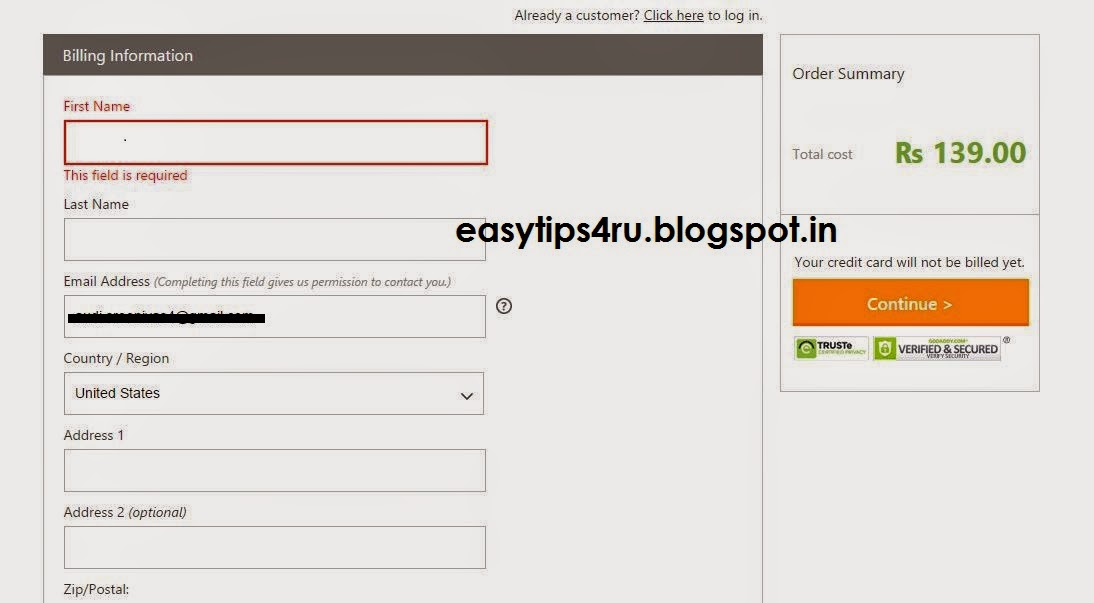
Step 7: Enter Your Billing Information and continue.


Step 8: Next Review your order  Enter captcha , select the terms and conditions and Conform your purchase , select Please  your Order.


Step 9: Next Enter Your card number, name and card type finally enter Make Payment


Step 9: Done your work


Click here To Watch Video